
Where is the pager with "Static Page"
-
Mod
Go to:
Graphene Options >> Display >> Excepts Display Options
I can see different ways of achieving this:
If you want to keep the Graphene theme, then you could use the 3 column layout, and in one of the widget columns, you place a widget which lists short notices, and then you make sure that the same “notices” category is not included in the main list of posts on your front page.
Another, much trickier, approach could be to use the plugin Kalins post list to achieve what you want. But, in order to get it nice, you may need to go rather deep into CSS and other things.
As a matter of fact, the web page you refer to, http://www.khairul-syahir.com uses a different theme. I don’t know if that theme is publicly available. A theme I’ve seen, which could be closer to what you’re looking for, is “Magazine Basic”.
Hello Tobif and thank you for replies !
What I seek is not easy to implement. I look at the plugin Kalin’s, but I do not know enough CSS. Too bad …
Thank you anyway !!!
@Alain Ronk
Check two of my blogs:
http://test.kjodle.net/blog/ and http://blog.kjodle.net/
Is that how you would like things to look? If so, this is the static front page using Graphene’s “homepage panes” option.
Hello Kennet John Odle !
The display of your blog http://test.kjodle.net/blog/ is great!
But how is it to read the other news? There is no pager at the bottom of page !
Hello Kennet John Odle !
I have an another question for you.
I saw on your site the following display:
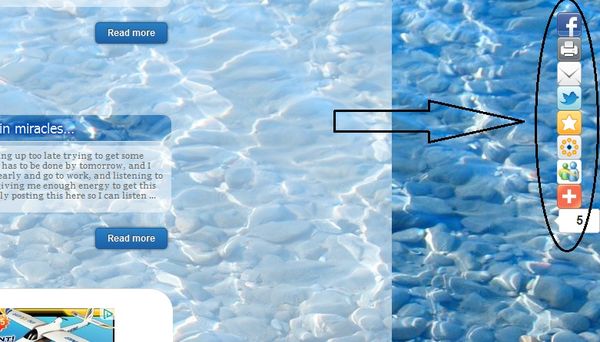
How do you do?
But how is it to read the other news? There is no pager at the bottom of page !
That’s because I haven’t installed that plugin on that blog.
I saw on your site the following display:
How do you do?
over here… https://forum.graphene-theme.com/graphene-support/sharebar-duplicate-slider-panes#post-11281
It is very easy to do, actually. (C’est tres facile!) Try it! It works!
Hello Kennet John Odle !
Thank you for your replies
With your code, I have only RSS button

I confirm you, my plugin WP-Pagenavi is actvated but, it’s not here with the Static Page option !

I don’t understand the situation…
That’s because you need to go to Addthis.com and sign up to get your own code.
Once you have that code, you’ll need to add your own
<p />before each line.Hello Kennet John Odle !
Thank you very much !
It’s good, It’s work very well !


- You must be logged in to reply to this topic.
